

Reminder Feature
For every product type you can create a product relevant reminder. There are two types you can enable for reminder notifications.
Local Notification Reminder
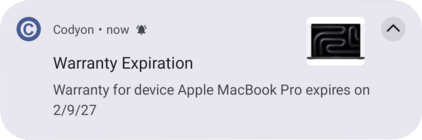
A local notification appears on your device's status bar.
As of now, a reminder will appear as a silent notification, which means that it appears on status bar but not as banner. This behavior may be extended in the future.
Google calendar reminder
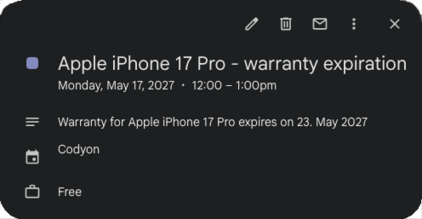
Codyon app uses the secondary calendar feature from Google, where a user is able to create secondary calendars for its Google account.
This app created calendar stores simple events with the specified date and time. Per default no active notifications are set. But via app settings you can enable supported notification types at any time.
Why do I need a reminder?
For Devices
If you buy a new product you have a manufacturer default warranty where its duration varies by manufacturers. You can create a reminder for warranty expiration or if your device has an extended warranty, you can additionally create a reminder for the extended warranty expiration.
For Contracts
Most of the contracts have a notice period before a contract can be canceled. You can set a reminder for your notice period, so you won't forget to cancel it if your contract would be renewed otherwise and you want to avoid this.
Additionally you can also set a reminder when your contract expires.
For Loans
Once in a while you'll have one or more loans. And sooner or later those will be paid off one day (thank god). If for any reason you don't have in mind when you'll reach your lucky day, you can create a reminder for loan expiration. This is not much, but it means that this loan has been paid off!